
Fox has moved house
Fox Auto Clicker is now Fox Macro Recorder. It’s a new install, so bring your macros over in 3 steps.
Install the new Fox
Coming soon to ChromeExport from the old Fox
Open the old Fox and press Export macros.
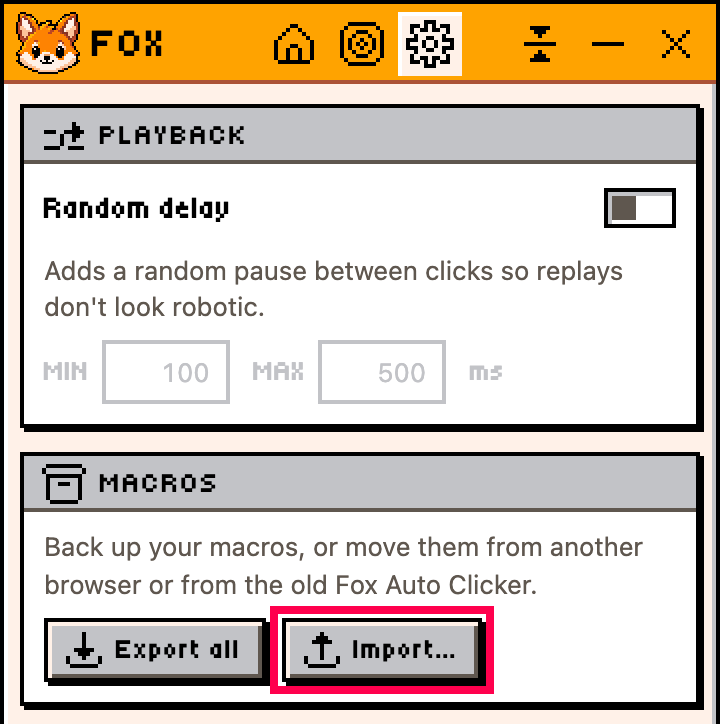
Import into the new Fox
Settings → Macros → Import…, then pick the file.
All there? Now you can remove the old Fox. Keep it until then.
I don’t see Export in the old Fox
Open chrome://extensions, turn on Developer mode, press Update.
Why a new install?
Chrome can’t move users between store listings.